The line at the top
A sentence that names your position and points at the one next action.
Early access · free forever
A personal home for improvement work. One screen reads your position in a sentence, then tiles into everything you're running — tasks, ideas, canvases, projects — plus a community of people doing the same job. Free forever, for one person.
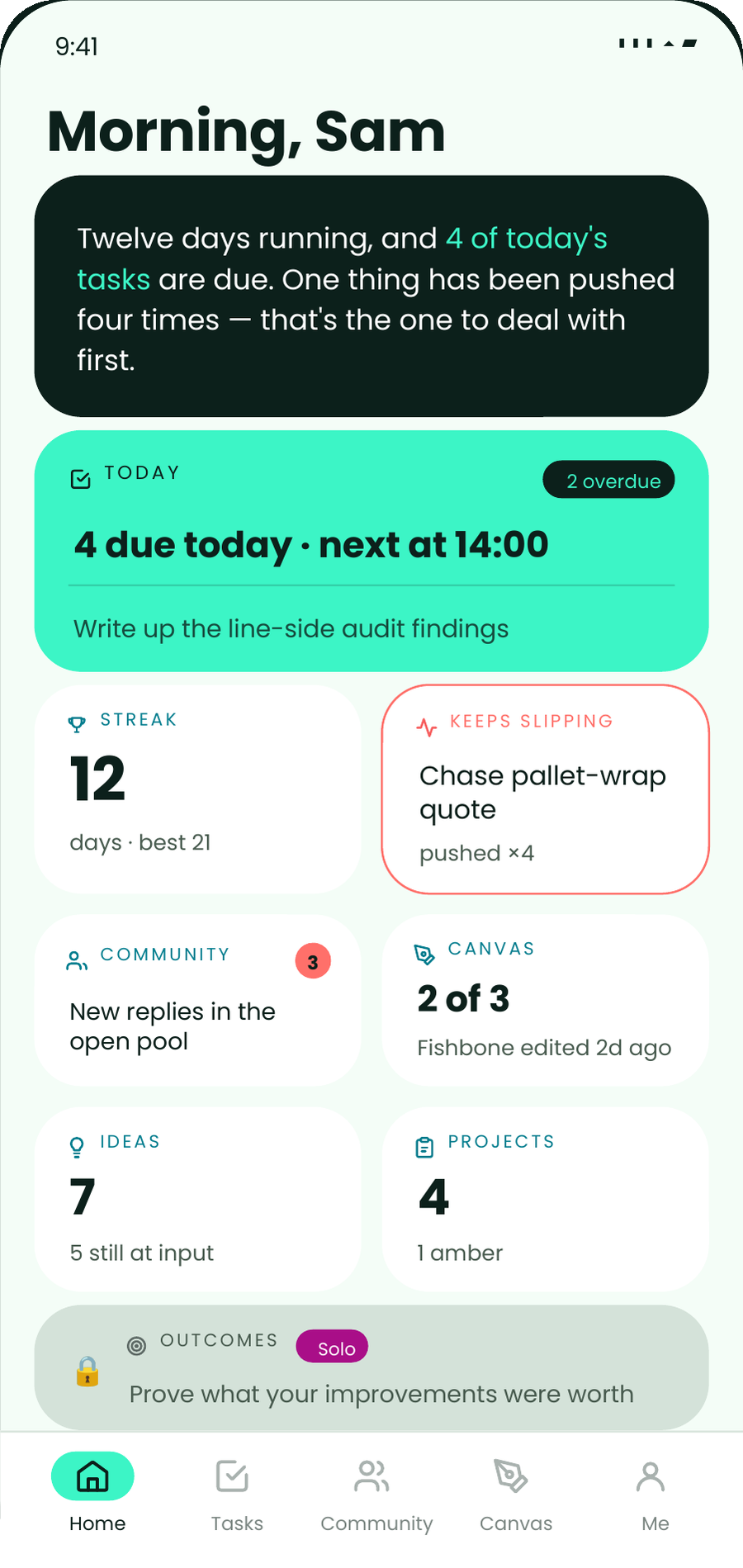
THE HOME SCREEN
Every morning myopx works out what's actually going on — how long you've kept it up, what's due, what's overdue, and which single thing you keep moving — and says it in a sentence before you scroll.
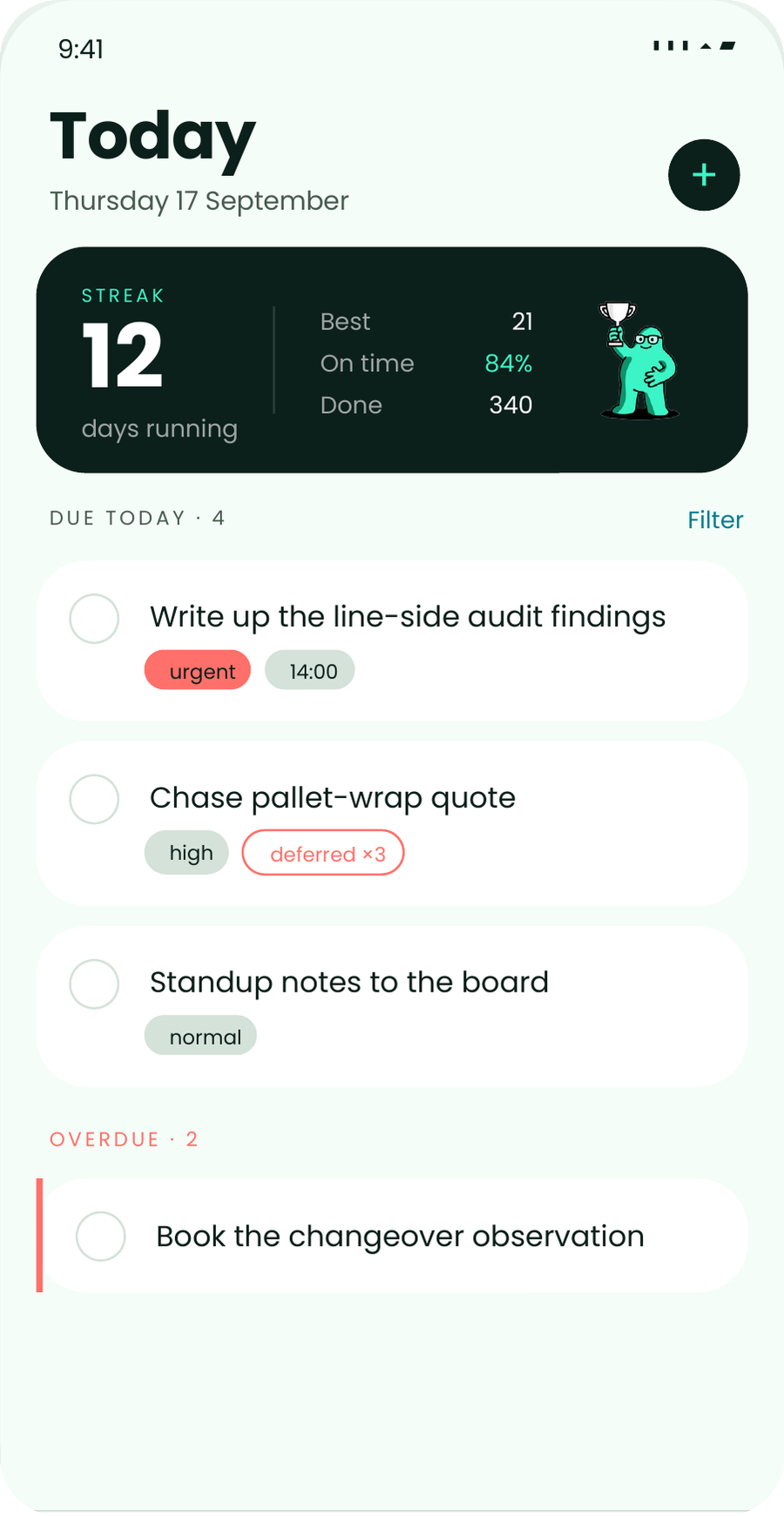
A sentence that names your position and points at the one next action.
Every task counts its own postponements. The tile names the one you keep moving — a number most tools store and never show.
Eight tiles, each one a real state and a way in. No charts to interpret.
myopx is deliberately small. It's the part of OpX that works for one person, on a phone, between other jobs — not a governance platform with the labels changed.
01 · TASKS
Boards, checklists, due times and recurring work. Every task carries its own history, so something you've deferred four times says so out loud instead of looking brand new.
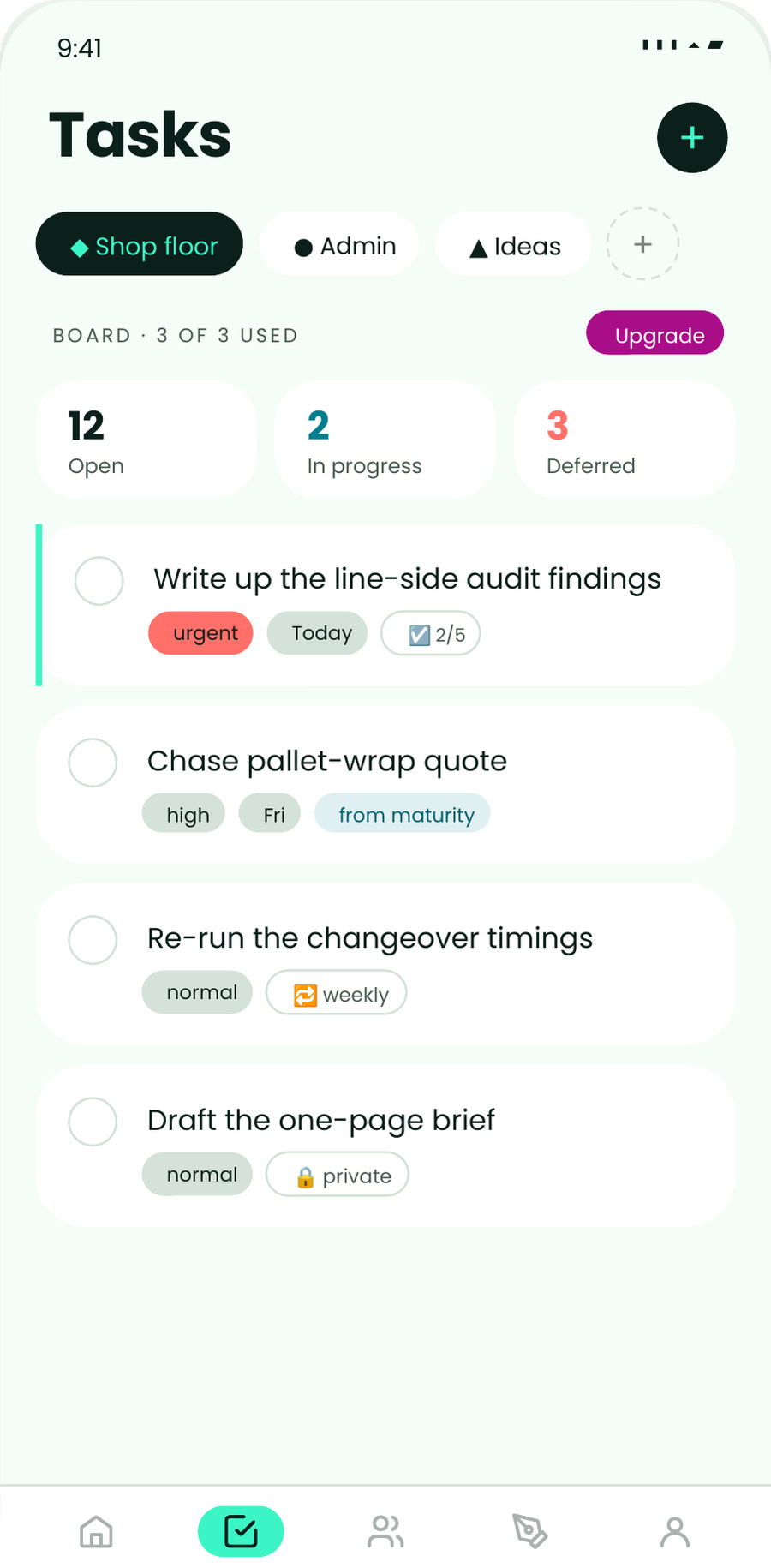
02 · COMMUNITY
An open pool for everyone on myopx. Ask why your changeover times don't match the standard. Post the fishbone you're unsure about. Find out you're not the only one.

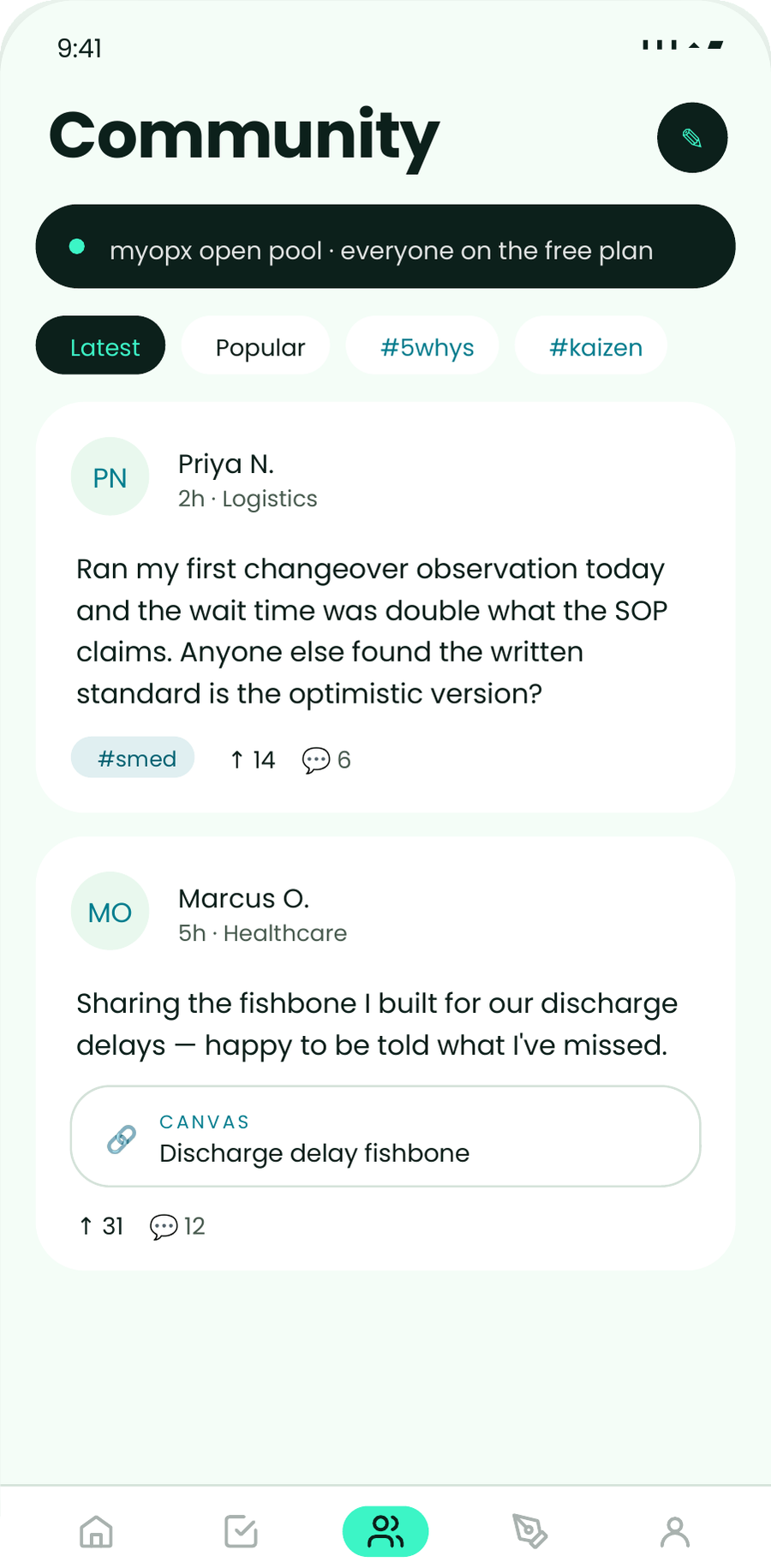
03 · CANVAS
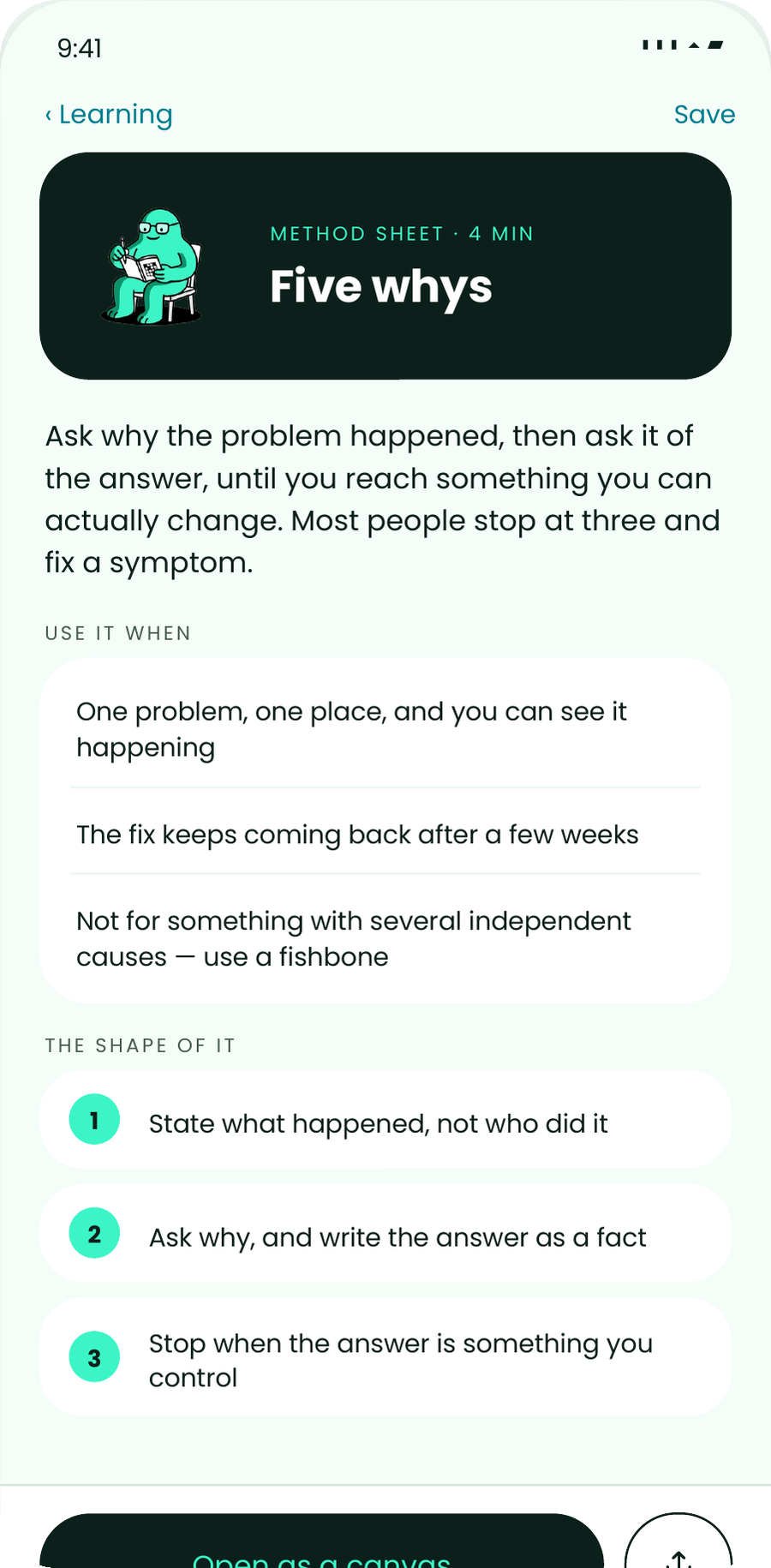
5 Whys, fishbone, SIPOC, A3 — start from a template and work the problem. Read, comment and share from your phone; the full canvas opens on a bigger screen when you're ready to build it out.
04 · IDEAS
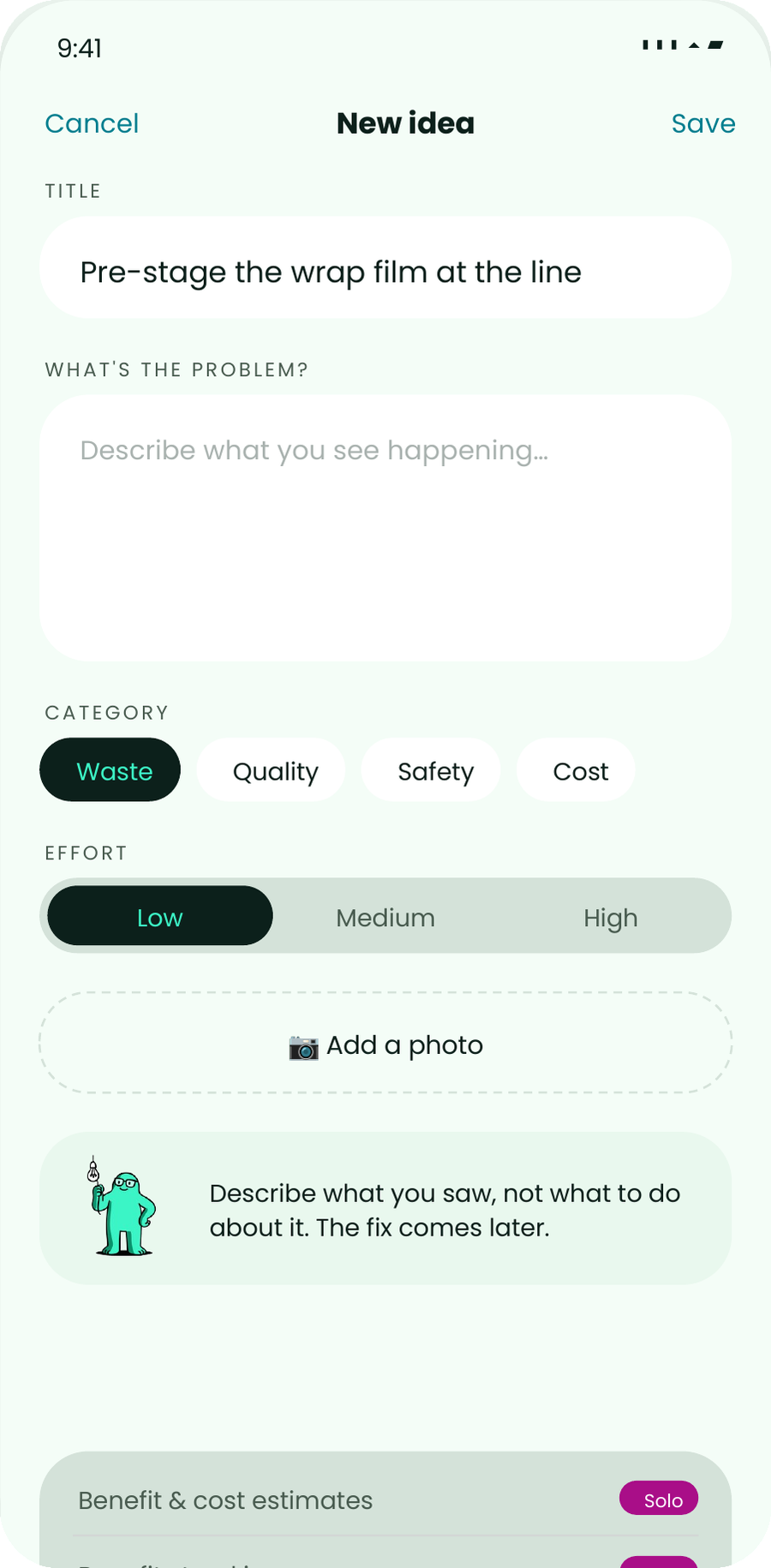
The improvement you spotted on the walk round, written down in twenty seconds with a photo. Not a form. Not a suggestion box nobody empties.
05 · PROJECTS
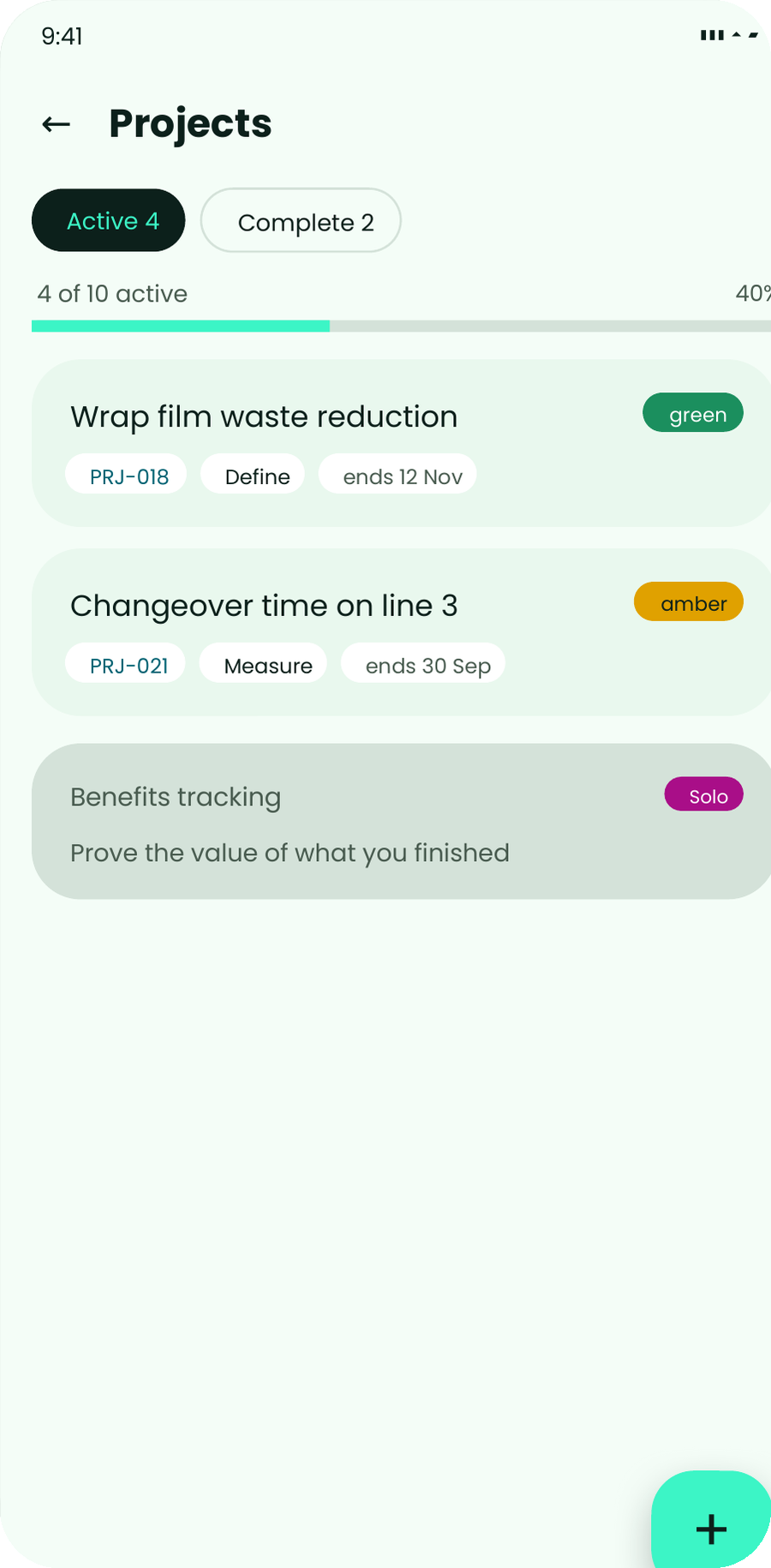
Enough structure to see what you've started, what phase it's in and whether it's going well — without the stage gates and approvals a solo project doesn't need.
06 · LEARNING
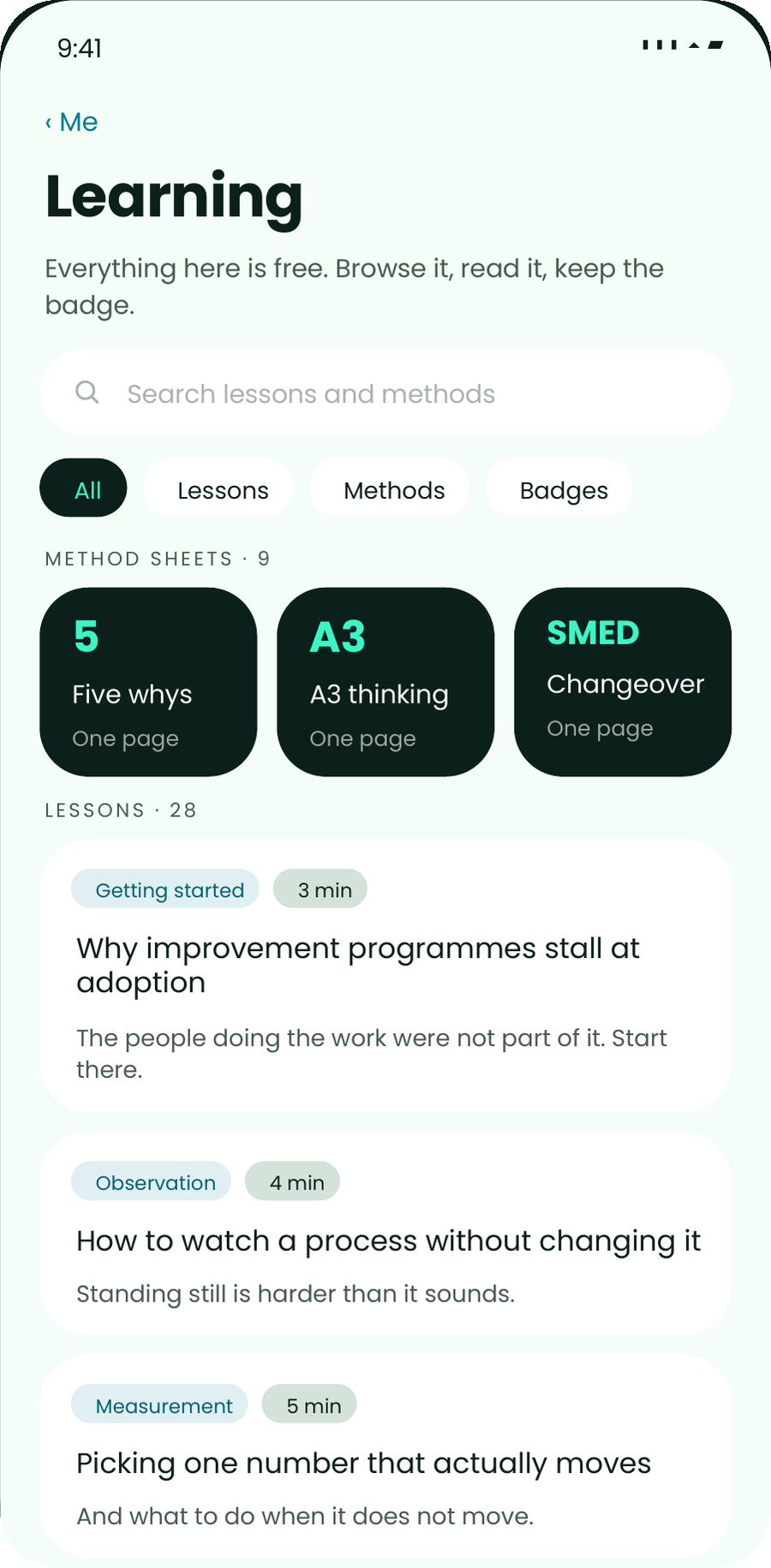
Eleven full learning modules are included on free. The other 107 stay visible and are clearly marked upgrade, with no paywall or checkout inside the app. Nine method sheets sit inside Me alongside your streak and badges.
Badges are read-receipts and streak milestones — not certifications. Nothing expires, and nothing is lost by ignoring them.
SHARING
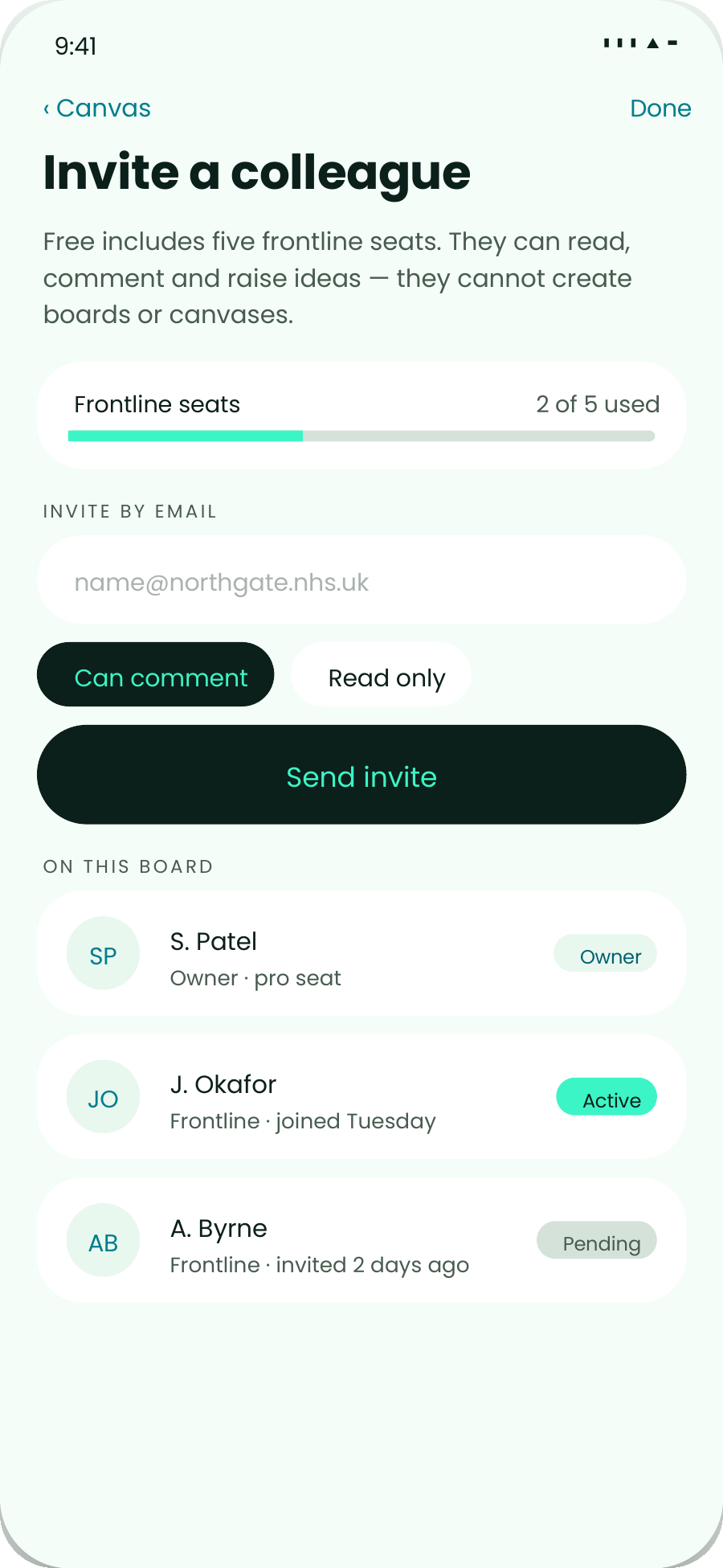
Free includes five frontline seats. A colleague can read your board, comment on it and raise ideas without a plan of their own — and the invitation comes from the thing you're sharing, not a settings screen three taps down.
They can't create boards or canvases of their own; that needs a pro seat. Everything else they do lands in your work.
A frontline colleague needs no plan to accept, and the seat does not run out.
Share a board or a canvas and the invitation travels with it, at the moment you actually want the help — not from a settings screen.
Sharing with a colleague and posting to the open pool look similar and are not. The share sheet says who will see it, and your organisation stays hidden on public posts.
WHERE IT COMES FROM
myopx is built by the team behind OpX — the operating system for improvement used by multi-site organisations to keep every idea, project and outcome connected. This is that product, cut down to what one person actually needs, and given away.
Which means nothing is a dead end. If your work grows into a team's work, everything you've built comes with you.

Tasks, ideas and projects stay connected, not scattered across four apps
Data in eu-west-2, under the same security posture as the enterprise product
Upgrade and keep everything — no export, no re-entry, no starting again
INSTALL
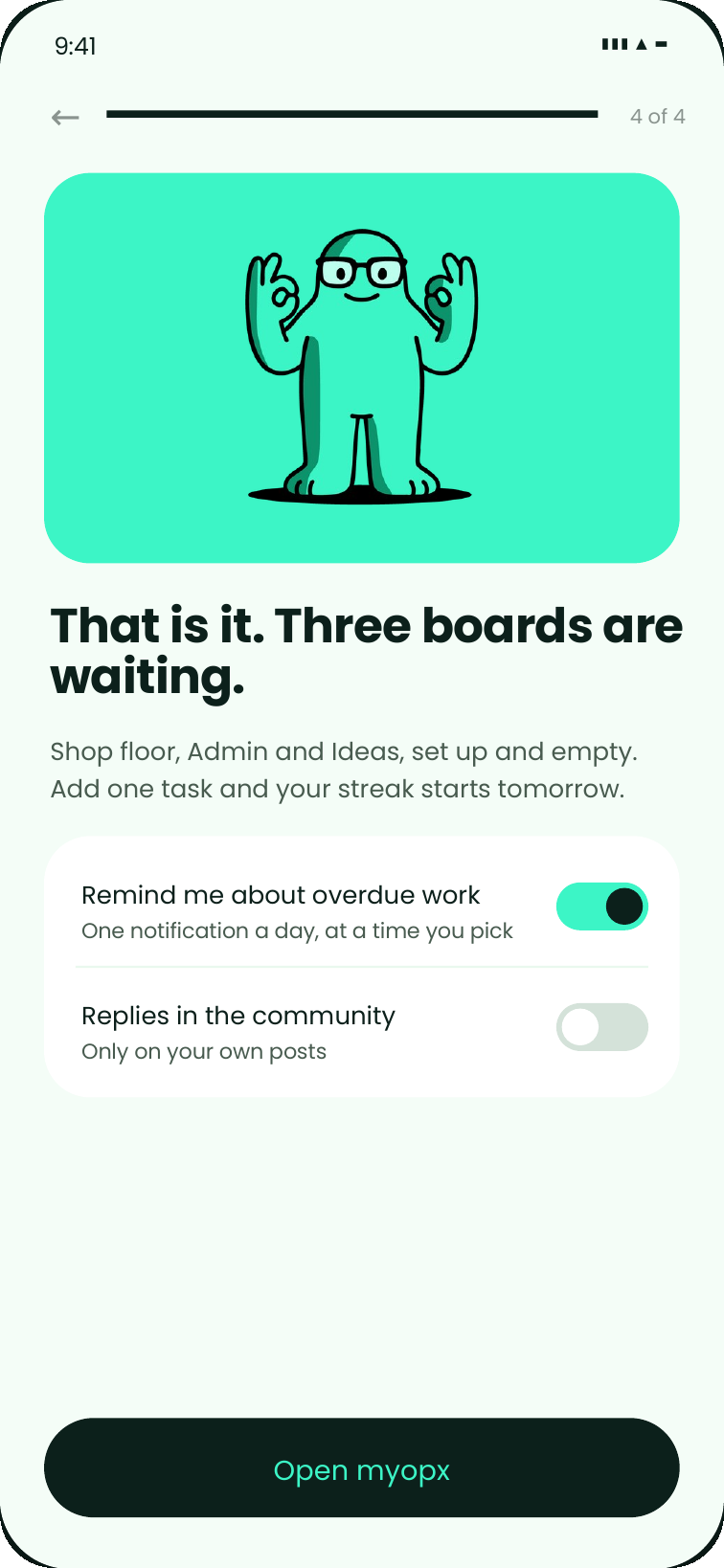
myopx installs straight from your browser — no app store account, no download, no waiting for an update. Setup is four screens and about a minute: three questions, one of them optional. Native App Store and Google Play versions are on the way; this works today.

Installing from Chrome on iPhone isn't supported by Apple — please use Safari.
AT THE CAP
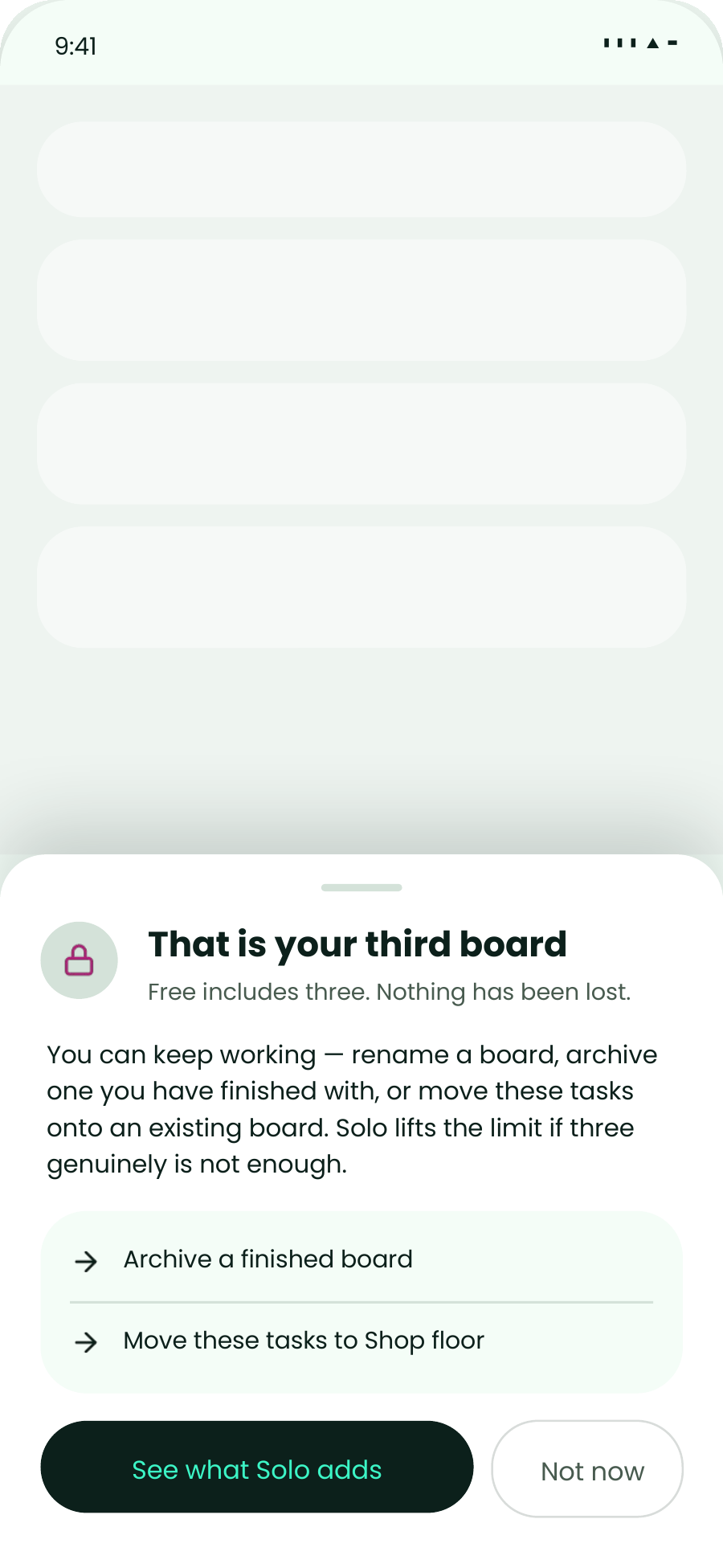
There is no price, no buy button and no checkout anywhere in myopx. At three boards of three, the "+ board" control stays exactly where it was and explains itself — a blocked control reads as a plan, a hidden one reads as a bug.
If you do want more, the app describes what changes and opens a browser. Plans are managed at opx.io.
At the cap you can archive a finished board or move tasks onto one you already have. Free stays usable rather than crippled.
If buying is not yours to do, myopx builds a one-page summary from your own usage — streak, ideas raised, hours saved — and you send it to whoever decides.
Nothing is ever charged inside the app, on either platform. Your plan lives at opx.io and changes take effect straight away.
PLANS
No trial clock, no card. The free plan has limits rather than an expiry date — when your work outgrows them, everything you've made comes with you.

| Free | Solo | Team | |
|---|---|---|---|
| Price | £0 | £295/mo | £495/mo |
| Task boards | 3 | Unlimited | Unlimited |
| Canvases | 3 | Unlimited | Unlimited |
| Active projects | 10 | Unlimited | Unlimited |
| Storage | 1 GB | Included | Included |
| Community | Open pool | Your own | Your own |
| People | 1 + 5 frontline | 1 + 50 frontline | 5 + 250 frontline |
| Benefits tracking | — | Yes | Yes |
| Dashboards & reporting | — | Yes | Yes |
Plans are managed at opx.io. Nothing is ever charged inside the app.
AI ASSISTANTS
myopx has its own MCP address. Give it to an assistant that supports MCP — Claude, ChatGPT and others — and you can ask what's on your task boards, add a task, tick one off, check your projects and ideas, or capture a new idea, without opening the app.
It only ever sees your own things — never anyone else's — and it can't reach the community, your canvases or your learning. This is early. It works, but it is new, and assistants differ in how well they handle connections like this — if something doesn't behave, tell us.
To connect, add a connection in your assistant and paste this address. The first time, it opens a browser and asks you to sign in to myopx and approve the connection — there is no key to paste or manage.
https://myopx.opxos.com/mcpQUESTIONS
There isn't one, but there are limits: three boards, three canvases, ten active projects and five frontline colleagues. You can work inside those forever.
Yes. myopx is live and usable now, and the limited free experience is still being finished.
Your own data and nothing else — your streak, what's due, and the task you keep moving. It's rules, not a language model, so it can't be wrong or slow on a cold start.
You can open, read, comment and share. Building one out properly wants a bigger screen.
Your tasks, canvases, ideas and projects are yours alone. Community posts go to the open myopx pool, and every share row names its audience before you send.
It comes with you. Upgrading changes your limits, not your data.
Yes — myopx has an MCP address you give to an assistant that supports it, such as Claude or ChatGPT. It can see your task boards and tasks, add a task, mark one done, and see your projects and ideas — including capturing a new one. It only ever sees your own things, and it can't reach the community, canvases or learning. Signing in happens in the browser — there is no key to manage. It's early, and assistants differ in how well they handle connections like this; if something doesn't behave, tell us.
Install it, put one task in, and see whether you open it again on Friday. That's the only test that matters.